
Network Video Recorder (NVR) Guide: The Complete 2026 Buyer Manual
Table of Contents
Most "network video recorder" searches end in confusion: buyers compare DVRs and NVRs, channel counts and PoE budgets, and still cannot tell whether a 4-channel NVR covers a warehouse or a 64-channel unit is overkill for a shop. The recorder is the piece of the CCTV system that stores, organizes and serves every frame your cameras capture — get it wrong and you either overpay for channels you never use, or under-provision storage and lose footage at the worst moment. A 64-channel NVR with 8-bay HDD support can store months of continuous H.265+ recording; a 4-channel unit is a different class of hardware entirely.
This guide walks through what an NVR security system actually is, how it talks to IP cameras, the NVR vs DVR difference in plain terms, how to pick between PoE, WiFi and standalone NVR types, which channel count fits your site, the storage math that decides how many days of footage you keep, and how to buy from manufacturers without paying retail markup. By the end you will be able to spec an NVR system from a supplier quote with confidence.
Keep reading for more!
The Snapshot
- An NVR (network video recorder) is a purpose-built computer that records video from IP cameras over Ethernet or WiFi — no per-camera capture cards, no coax cable, no analog encoding.
- NVR channel count scales from 4 to 64 channels in practical product ranges: 4ch covers small shops, 8-16ch fits offices and retail, 32-64ch serves warehouses, schools and multi-site businesses.
- H.265+ encoding cuts storage roughly 50-70% versus H.264 at the same image quality — the single biggest lever on how many days of footage a drive holds.
- A 64-channel NVR at 5MP per camera recording 24/7 needs roughly 6-12 TB per week depending on bitrate; 4TB drives in a multi-bay NVR are the common starting point.
- Look for: PoE switch ports built in, ONVIF/GB28181 compatibility, HDMI/VGA dual output, 2-8 SATA bays, and remote access via free P2P app — no subscription required.
What Is an NVR Security System?
"Network video recorder" describes a dedicated appliance that receives video streams from IP cameras — cameras that encode and transmit digital video themselves — and records them to hard drives. The cameras do the imaging and encoding; the NVR does the storage, playback, live view and remote access. The two talk over a network (Ethernet or WiFi) using standards such as ONVIF, RTSP or GB28181, which means any compatible IP camera can join the system.
The most common question — "what is nvr security system" — has a practical answer: it is the central recorder for an IP camera network. If you have four cameras and one box that stores all four streams with a single screen for live view and playback, that box is an NVR. The "network video recorder ip camera" pairing is the standard modern CCTV architecture: cameras on the network, recorder on the network, viewing from anywhere.
An NVR is not a DVR. A DVR (digital video recorder) records analog cameras or HD-over-coax (AHD/TVI/CVI) cameras that transmit unencoded video signals; the DVR itself does the encoding. An NVR receives already-encoded IP streams. This one architectural difference drives everything downstream: cable type, camera price, recording quality and expansion path. The full comparison is in the next section.
How an NVR Works with IP Cameras
Understanding the data path makes every NVR spec easy to read. Here is what happens, frame by frame, in a working "camera ip nvr" deployment.
1. The camera encodes the image
Each IP camera runs its own processor and codec. A 5MP camera captures 2880×1620 and encodes it with H.265+ at a configurable bitrate (typically 500-8000 kbps). The camera also maintains a second, low-bitrate sub-stream (e.g. 640×360 at 512 kbps) for smooth remote viewing on phones.
2. Streams travel over the network
The main stream goes to the NVR for recording; the sub-stream goes to the NVR's live-view pipeline. With a PoE NVR, the same Ethernet cable carries power to the camera and data back to the recorder — one cable per camera, no separate power runs.
3. The NVR writes and serves
The recorder writes incoming streams to HDDs in a rolling loop (oldest footage overwritten first), maintains an index for instant playback, and exposes live view + playback to the app, browser and HDMI monitor. A good NVR also runs motion detection, event search and snapshots without touching the camera.
4. Remote access rides the P2P channel
For "nvr ip camera" systems with free remote viewing, the NVR maintains a P2P connection to the vendor's cloud relay — no port forwarding, no static IP, no DDNS account. You open the app, scan the device QR code, and watch live or playback from anywhere.
The practical takeaway: the NVR is the system brain. If you upgrade cameras later, the NVR's channel count, resolution support and codec support decide whether they will work at all.
NVR vs DVR: What Actually Changes
The NVR vs DVR question dominates "what is a digital video recorder" and "what is a network video recorder" searches, and the answer determines your cable plant and camera budget. The table below is the version to keep.
| Factor | DVR (Digital Video Recorder) | NVR (Network Video Recorder) |
|---|---|---|
| Camera signal | Analog / HD-over-coax (AHD, TVI, CVI) | IP / network (Ethernet, WiFi, PoE) |
| Encoding location | At the DVR | At each camera |
| Cabling | Coax + separate power | One Ethernet cable (PoE carries power) |
| Max resolution (typical) | 1080p-5MP via coax | 4K/5MP/8MP per channel |
| Expansion | Add channels = add coax runs + DVR capacity | Add cameras to network switch; NVR channel count governs |
| Best for | Retrofit of existing analog cameras | New installations, high resolution, remote sites |
When a DVR still makes sense
If a site already has analog or AHD cameras in place and working, replacing them with IP cameras costs more than keeping a DVR. AHD DVR systems record up to 1080p over existing coax, which is acceptable for many small shops and homes. The "what is ahd" search reflects exactly this: AHD is the HD-over-coax standard that lets old coax cables carry 1080p.
Why NVR wins for new builds
For anything new, NVR + PoE IP cameras wins on every axis: one cable per camera (data + power), 4K-ready resolution, ONVIF interoperability with any vendor's cameras, and simpler expansion — add a camera to the network and the NVR picks it up. The "best nvr camera system" searches are buyers who have already decided this.
Types of NVR: PoE, WiFi, Standalone and Linux
Not all NVRs are equal, and the "types of NVR" question has four practical answers. Matching the type to the site wiring is half the buying decision.
1. PoE NVR (built-in switch)
A PoE NVR has an integrated PoE switch — typically 4, 8, 16 or 32 ports — that powers each camera and carries its data. One Ethernet cable per camera, plug in and go. The "poe nvr" search is shorthand for this class: recorder + switch + camera power in one box, no separate switch or power injectors. Ideal for new installations where cameras run back to a central location.
2. WiFi NVR (wireless cameras)
A WiFi NVR records wireless IP cameras — no cable runs at all. Cameras connect to the NVR's own WiFi radio (or a network access point), and the NVR powers them separately (or via solar/battery models). "Wifi 4ch ip camera nvr kit" and "wireless nvr kit home" searches are typical. Best for rentals, finished interiors where cabling is impractical, or quick temporary coverage. Trade-offs: WiFi bandwidth limits total resolution, and signal reliability matters more than with cable.
3. Standalone / enterprise NVR (network-connected)
A standalone NVR connects to an existing network switch — no built-in PoE. This suits larger deployments where cameras are spread across a site and already wired to a network infrastructure, or where you mix camera brands. "Network video recorder system" buyers with 16+ channels usually land here, pairing the recorder with a managed PoE switch sized for the camera count.
4. Linux NVR (open platform)
"Linux network video recorder" refers to NVRs built on Linux with ONVIF-compliant open architecture — most professional NVRs are exactly this under the hood. Some buyers specifically want Linux for integration with open-source VMS (Blue Iris, ZoneMinder, Shinobi) or for API access to recording data. If you are an integrator writing software against the recorder, a Linux NVR with documented ONVIF/RTSP/HTTP API matters.
Hybrid units exist (PoE + a WiFi camera or two), but in general pick one architecture per site: PoE for new cabling, WiFi for cable-free, standalone for existing networks, Linux for integration work.
Channel Count: 4ch to 64ch, Which Fits
Channel count is the first number on any NVR box, and buyers consistently either overbuy or underbuy. The "4 channel nvr", "8 camera kit nvr", "32 channel network video recorder" and "64 channel nvr" searches all map to the same decision: count the cameras you need today, then add headroom.
| Channel count | Typical site | Camera budget example |
|---|---|---|
| 4ch | Small shop, apartment, single office floor | 4 bullet/dome cameras covering entrances and tills |
| 8ch | Retail store, small warehouse, 2-floor office | 6-8 cameras: entrances, aisles, yard, cash office |
| 16ch | Medium business, school wing, parking lot | 12-16 cameras with 2 spare channels |
| 32ch | School, factory floor, multi-zone warehouse | 24-32 cameras across zones and shifts |
| 64ch | Large facility, campus, multi-site consolidation | 48-64 cameras, often in clusters per building |
Headroom rule of thumb
Buy one size up from your current plan. A shop that needs 6 cameras today will add 2 next year; an 8ch NVR leaves no room, a 16ch NVR costs marginally more and covers growth. Channel expansion on an NVR is a hardware purchase (add channels = buy a bigger recorder or add one), so headroom is cheap insurance.
What "channel" really means
One channel = one simultaneous camera stream recorded. A 64-channel NVR with 8 SATA bays and 64 PoE ports is a serious appliance — enterprise class, usually rack-mount, with dual power supplies in top models. The "64 channel network video recorder" buyer is consolidating cameras from multiple buildings into one recorder, which is exactly the FULLCOLORCAM NVR line's use case.
Key Specs to Compare (Storage, Codec, Output)
When a supplier sends an NVR quote, four spec groups decide whether the box fits. Compare these, not marketing phrases.
1. Codec support
H.265+ is the current baseline; H.264-only recorders cost more per day of storage and heat up drives. Confirm the NVR decodes H.265/H.265+ from your cameras — a "4k network video recorder" that only decodes H.264 wastes the camera's encoding advantage. Some units also support HEVC/H.266 as cameras ship with newer codecs.
2. Recording resolution and bitrate per channel
Check the per-channel throughput: a 64-channel NVR rated for 8MP cameras at 25 fps needs far more internal bandwidth than one rated for 2MP. Look for the total recording bandwidth figure (e.g. 256 Mbps in, 128 Mbps out) rather than the marketing resolution.
3. Storage bays and RAID
Bays (2-8 SATA) set the ceiling for how many drives and therefore days of footage. RAID 1/5/10 support protects against single-drive loss — worth it at 16+ channels. "8 camera kit nvr free" and similar kit searches bundle drives; standalone NVRs often ship without HDDs, so add drive cost to the quote.
4. Display and output
HDMI + VGA dual output is standard; 4K HDMI output matters if you run a 4K monitor wall. Some NVRs add eSATA for external storage and USB for backup. For camera ip nvr systems with a local monitor, check the live-view grid: 64ch units split the screen into 64 tiles and need a decent GPU inside.
Storage, Bandwidth and Recording Math
Storage math is where most NVR buyers make the expensive mistake: they buy a recorder and discover the drives hold five days, not sixty. Here is the calculation suppliers use, with real numbers.
Per-camera daily footprint
A 5MP camera at H.265+ with a 4 Mbps main stream records roughly 43 GB per day at 24/7. The same camera at H.264 with 8 Mbps doubles to about 86 GB. Cutting to a 2 Mbps stream (still watchable for small scenes) halves it again. Sub-stream-only recording (event mode) can drop a site's total to a tenth of 24/7 continuous.
Total site math
Multiply per-camera daily GB by channel count and retention days: 8 cameras × 43 GB × 30 days ≈ 10.3 TB. That fits one 12TB drive or two 6TB drives in RAID 1. A 64-channel site at the same settings needs ~82 TB for 30 days — four 20TB drives minimum, or a storage server. This is why "64 channel network video recorder" buyers usually run event-only recording or lower bitrates for non-critical zones.
Bandwidth budget
The recorder's WAN upload serves remote viewing: 8 remote viewers × 512 kbps sub-streams = 4 Mbps sustained upload. Most broadband handles it; cellular sites may need a data plan sized for it. On the LAN side, PoE budget matters more than raw bandwidth — add camera PoE consumption (12W-20W per outdoor camera) and keep 20% switch headroom.
NVR Manufacturers and Suppliers: How to Buy
The "nvr manufacturers" and "nvr suppliers" searches lead to a crowded market: global brands (Hikvision, Dahua, Reolink), US resellers (CCTV Camera World, SecurityCameraKing), and factory-direct manufacturers. For B2B buyers the economics are simple — factory-direct beats retail by 30-50% on comparable hardware, at the cost of longer lead time and less hand-holding.
What to ask a manufacturer or supplier
- Channel count and codec support (H.265+ for all channels, not just headline ones)
- PoE budget per port and total (watts) if buying a PoE NVR
- SATA bay count, max drive size, RAID support
- ONVIF profile compliance (Profile S for streaming, Profile G for recording)
- Remote access model: free P2P app or per-camera cloud subscription
- MOQ, lead time, warranty (2 years is the B2B baseline) and RMA process
- Firmware update policy — NVRs are computers; security patches matter
OEM / wholesale path
For resellers and integrators, buying NVRs wholesale from a manufacturer (with or without branding) collapses cost further. Ask for: private-label firmware, pre-configured channel counts, mixed camera+NVR kit bundles, and a compatibility list for third-party ONVIF cameras. The "wholesale security cameras" and "cctv recorder" buyers usually start this way.
NVR Camera System Setup Step by Step
An NVR system installs in one afternoon when the plan is right. This is the sequence that works across PoE and WiFi NVR types.
1. Position and mount cameras first
Mount cameras 2.5-4 m high, aim entrances and chokepoints, run cable (or place WiFi cameras within signal range). For PoE NVRs, each camera's cable terminates at the recorder's built-in switch — label each cable with its channel number before plugging in.
2. Connect and power up
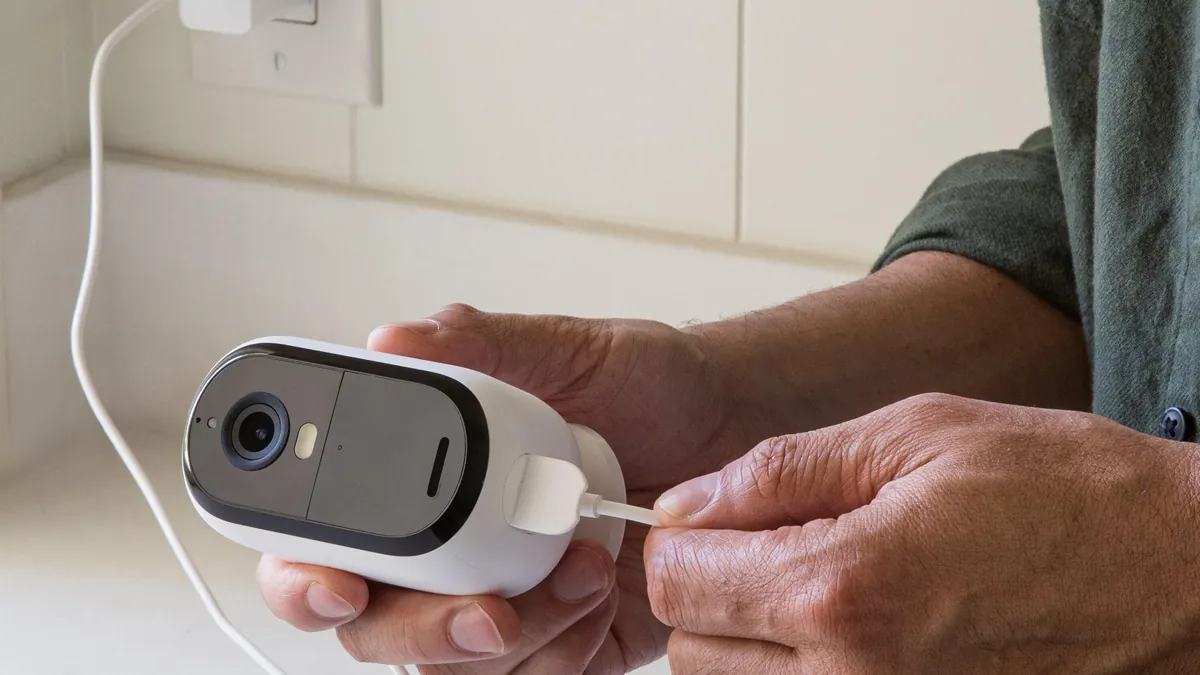
Plug cameras into PoE ports (or pair WiFi cameras to the NVR's access point), connect the NVR to the router, and attach the monitor via HDMI. Power the NVR last. The recorder auto-discovers ONVIF cameras and prompts for passwords — set a strong admin password on the NVR itself, not just the cameras.
3. Format and configure storage
Initialize the HDDs (this erases them — do it before recording), set the recording schedule (24/7, motion-only, or a mix per channel), and enable H.265+ on cameras that support it. Set the retention policy so the loop overwrite works as expected.
4. Set motion zones and alerts
Draw motion zones on each camera's view, suppress high-traffic areas (roads, trees), and set push alerts to the app. Over-sensitive zones generate notification fatigue and fill storage with false events.
5. Configure remote access
Enable the free P2P service, scan the NVR QR code in the app, and test live view + playback on cellular data (not just home WiFi). For third-party VMS integration, enable ONVIF and create a dedicated user account with recording permissions.
6. Verify at night
Walk the site after dark. Confirm every camera shows usable footage, faces are identifiable at the distances you expect, and playback from the NVR works end-to-end. Test a motion event triggers a push alert within seconds.
Applications: Where NVR Systems Win
The "network video recorder system" buyer is almost always solving one of five deployment problems. Each maps to a different NVR class.
Retail and shops
4-16ch NVRs with dome cameras at tills and bullets at entrances; motion recording during off-hours, continuous at tills. Evidence-grade footage matters for loss prevention and insurance claims.
Warehouses and logistics
16-64ch NVRs covering racking aisles, docks and yard. High WDR cameras handle sodium lighting; H.265+ keeps a 60-day retention affordable. Event-only recording on low-traffic zones cuts storage dramatically.
Schools and campuses
32-64ch NVRs with cameras at perimeters, corridors and entrances. Footage is routinely requested by authorities; retention of 30-90 days is common. RAID 1 or 5 protects the record.
Industrial and construction sites
Weatherproof cameras + NVR with surge protection (6KV) on outdoor runs. Solar/4G cameras feed remote sites back to a central NVR over the network — the "camera ip nvr" architecture shines where mains power is absent.
Multi-site consolidation
One 64-channel NVR aggregating cameras from several buildings over VPN or P2P. This is the enterprise pattern: fewer recorders to patch, one playback interface, centralized storage.
NVR Questions Buyers Ask
1. How many days will my drive hold?
Divide drive capacity by the site's daily footprint (per-camera GB × channels). A 4TB drive with 4 cameras at 43 GB/day holds ~23 days; with 8 cameras it holds ~11 days. Halve it at H.264, double it at motion-only recording.
2. Do I need a subscription to view remotely?
No — a P2P-based NVR with a free app gives live view and playback without any monthly fee. Cloud plans exist but are optional. The "8 camera kit nvr free" searches reflect buyers who specifically want no-subscription remote access.
3. Can I mix camera brands?
With ONVIF Profile S/G compliance, yes — any ONVIF camera records on any ONVIF-compliant NVR. Feature depth (motion events, two-way audio) varies by brand, but core recording works. Check the NVR's compatibility list for your camera models.
4. Is a PoE NVR the same as a normal NVR plus switch?
Functionally yes: a PoE NVR is a standalone NVR with a PoE switch built in. Same recording engine, one fewer box, and cameras power from the recorder. The "poe nvr" search is this exact class.
5. What does "4k network video recorder" mean?
It records 4K (8MP/3840×2160) camera streams per channel. Check the per-channel bitrate support and HDMI 4K output — a 4K label on the box without 4K output or 4K per-channel bandwidth is marketing.
6. How much does an NVR system cost?
Retail 8ch NVR + 8 cameras + 4TB: roughly $400-900 depending on brand and resolution. Factory-direct B2B pricing on the same class runs 30-50% lower at volume, which is why "nvr suppliers" and wholesale searches exist. A "hikvision nvr 4 channel" at retail often costs more than an equivalent factory-direct 4ch recorder with the same H.265+ support — brand recognition carries a premium that matters less when the hardware is ONVIF-compliant and interchangeable.
7. What about HDMI output and local viewing?
A "nvr hdmi vga" unit drives a local monitor directly — plug the HDMI cable in and the live grid appears with no PC. This is the fastest way to check footage on site, and it is why dual HDMI+VGA output is on every spec sheet worth reading. The Spanish-language "camaras de seguridad kits nvr" searches reflect the same buyer need in Latin American markets: complete camera + NVR kits with local viewing and remote app access.
8. Can an NVR handle high-efficiency encoding cards?
For integrators, a "4k hevc encoder card with onvif for nvr integration" plugs into a server running VMS software and feeds ONVIF streams to the recorder software layer. This is the software-NVR (server + VMS) path — more flexible, more maintenance, and the reason Linux NVRs and "cctv network video recorder" appliances coexist: appliances win on simplicity, servers win on customization.
Buying Guide & Checklist
Use this checklist when comparing NVR quotes from manufacturers or distributors. It covers the decisions that actually affect storage, expansion and integration — and it maps directly to our 64-channel NVR product page if you are comparing specs against a concrete unit.
- Channel count: current cameras + 25-50% headroom (4/8/16/32/64)
- Codec: H.265+ per channel, not just headline support
- PoE budget: sum camera watts + 20% headroom (PoE NVR only)
- Storage: bays × max drive size = capacity ceiling; RAID 1/5 at 16+ channels
- ONVIF: Profile S (streaming) + Profile G (recording)
- Remote access: free P2P app, no per-camera subscription
- Output: HDMI 4K + VGA, live-view grid for your channel count
- Surge protection: 6KV network surge on outdoor runs
- Warranty: 2-year baseline, RMA process documented
- Firmware: update policy and security patch cadence
The Bottom Line
An NVR is the recording brain of every modern IP camera system — and the buying decision is four numbers: channel count, codec support, storage bays and PoE budget. Match those to the site, add 25-50% channel headroom, and the system grows with the business instead of dying at its first expansion. Whether you are replacing a coax DVR, building a 64-channel warehouse system, or reselling NVR kits wholesale, the same checklist applies: H.265+ per channel, ONVIF compliance, free P2P remote access, and a manufacturer who answers the firmware question honestly. That is the difference between a recorder you replace in two years and one that records for a decade.
NEXT STEP
Ready to Upgrade to Full-Color Night Vision?
Send us your requirements — our team responds within 24 hours with pricing and lead time.
Written by
Ray ChanCCTV Buyer's Guide Author · Full-Color Night Vision Specialist. Ray helps global importers and integrators source factory-direct security cameras.