
Solar 4G Camera Guide 2026: Off-Grid Solar Powered Security Camera Manual
Table of Contents
Every solar camera that goes dark at 3 a.m. on the 40th cloudy day — and every 4G camera that burns through a 50GB SIM in a week — was failed by the same two decisions: panel sizing and bitrate budgeting. A remote site without grid power or broadband is exactly where the highest-value losses happen, yet most "solar camera" spec sheets quote panel watts and battery Wh as marketing numbers instead of an energy budget. A wrong estimate does not fail on day one; it fails on day 90, after the weather turns.
This guide gives the math that survives contact with reality: how many panel watts a solar powered security camera actually needs per hour of sunlight, what battery capacity buys in autonomy days, how to budget 4G data so the monthly SIM bill stays under control, and what changes when winter cuts sunlight by 70%. If you are sourcing solar cameras or 4G security cameras for farms, construction sites or remote warehouses, this is the power and data workbook your supplier usually does not provide.
Keep reading for more!
The Snapshot
- A solar 4G camera is a fully off-grid security camera: a solar panel and battery cover power, a cellular SIM covers network. No power line, no Ethernet, no WiFi — the only cabling is inside the unit itself.
- Panel sizing rule of thumb: panel watts ≈ 6-8× camera watts in average climates. A 4W solar camera needs roughly a 30W panel at 4.5 peak sun hours; the same camera needs a 100W panel where winter sun drops to 1.5 hours.
- Battery capacity is autonomy insurance: a 360Wh LiFePO4 pack keeps a 4W 4G camera running for about 3 days with zero sun, and 5-7 days when you size for cold-climate winter.
- 4G data is the recurring cost that decides viability: a 4MP camera streaming at 3 Mbps burns ~1.35 GB per hour, so motion-triggered sub-stream recording is what keeps a 30-50GB monthly plan viable.
- Operating temperature matters as much as watts: quality solar cameras are rated -30°C to 60°C, and LiFePO4 batteries can charge below freezing while standard Li-ion cells cannot.
Why Off-Grid: When Solar + 4G Is the Only Option
Most security camera buyers never think about the cost of power and network — until the site is 500 meters from the nearest outlet. Trenching a 230V feed that distance typically runs $15-40 per meter once labor, cable, conduit and reinstatement are counted, so a 500m run lands at $7,500-20,000 before a single camera is mounted. Broadband is worse: fiber or DSL stops at the property boundary, and a dedicated wireless bridge costs another $1,000-3,000 per link.
That is why the off-grid camera market exists. A solar powered security camera with a 4G link replaces the two most expensive parts of a traditional CCTV install — the power run and the network run — with a panel, a battery and a SIM card. For farms, construction sites, remote warehouses, parking lots, oil and gas well pads, and any temporary site, it is frequently the only economically sane option. A construction site camera deployed for 6-12 months, for instance, makes trenching power absurd: the feed would outlive the project. Call it a solar security camera, a solar cctv camera or a cellular security camera — they are the same off-grid product class, and the sizing math in this guide applies to all of them.
The decision framework is simple. Use a wired PoE system where power and network are within reach (see our PoE camera guide). Choose a solar 4G camera when either utility is missing — and check the math in the next four sections before you buy, because the specs that matter are watts, Wh, Mbps and sun hours, not resolution.
How a Solar 4G Camera System Works
Before sizing anything, understand the two chains every solar camera runs: the power chain and the network chain. Failures in either one look identical from the app — "camera offline" — which is why installers blame the wrong component half the time.
1. The power chain: panel → charge controller → battery → camera
The panel charges the battery through a charge controller (MPPT or PWM). The battery feeds the camera at 12V DC (or 5V on small consumer units). The critical detail: the camera never runs directly off the panel. Every watt the camera uses comes from the battery, and the panel only exists to put watts back in. That is why a cloudy day does not kill the camera instantly — the battery buffers it — and why battery capacity, not panel wattage, sets your real autonomy.
2. The network chain: SIM → LTE modem → cloud or app
Inside the camera, an LTE module (typically Cat 1 or Cat 4, 10-150 Mbps downlink) connects to the carrier through the SIM. Video goes to the vendor app's cloud, or directly to your NVR/VMS over ONVIF and RTSP if the camera supports it. The whole 4g video surveillance camera class works exactly this way: a camera, a battery and an LTE modem in one weatherproof body. Look for dual-SIM slots — one primary carrier plus a failover carrier is standard on better 4G security cameras, because a dead carrier means a blind site until someone drives out. For any solar camera with sim card support, dual-SIM is the difference between a monitored site and a blind one.
3. Recording modes: continuous, motion, scheduled
Three modes exist: continuous recording (24/7, highest power and data), motion-triggered recording (default for solar: camera sleeps, wakes on detection, records 10-60 seconds per event), and scheduled windows (e.g. night-only). Motion-triggered is not a compromise on solar cameras; it is the design point. It cuts both battery draw and 4G data by 80-95% compared with continuous, which is why the entire off-grid product class depends on it.
The Power Budget: Panel Watts vs Camera Watts vs Sun Hours
Everything in this guide reduces to one equation, and it is worth writing down before you look at a single spec sheet:
- Daily energy need (Wh) = camera draw (W) × 24
- Panel size (W) = daily Wh ÷ (peak sun hours × 0.75) — the 0.75 accounts for panel derating, charge-controller loss and wiring loss
- Battery size (Wh) = daily Wh × autonomy days ÷ usable depth of discharge
Peak sun hours is the number of hours per day of full-strength sunlight (1,000 W/m²) that the location effectively receives. It is not "hours of daylight" — a London summer day has 16 hours of light but only ~5 peak sun hours of harvestable energy. Planning values for annual averages: Phoenix 6.4, Madrid 5.0, Shanghai 4.0, Munich 3.1, London 2.8, and December figures drop to a fraction of those.
| Example build | Camera draw | Daily need | Panel @ 4.5 sun h | Battery (3-day autonomy) |
|---|---|---|---|---|
| 2W WiFi solar camera | 2W | 48 Wh | 15W | 120 Wh (12.8V ~10Ah) |
| 4W 4G solar camera | 4W | 96 Wh | 30W | 360 Wh (12.8V ~28Ah) |
| 10W solar PTZ camera | 10W | 240 Wh | 80W | 900 Wh (12.8V ~70Ah) |
Work the middle row: a 4W 4G camera needs 96 Wh/day. A 30W panel at 4.5 sun hours delivers 30 × 4.5 × 0.75 ≈ 101 Wh/day — a match. Drop to 2 sun hours (winter) and the same panel delivers only 45 Wh/day, a 53% deficit. That deficit is what battery autonomy and a bigger panel are for. The three variables — panel watts, camera watts and sun hours — must be solved together; changing any one breaks the budget.
Solar Panel Sizing: Watts, Type and Mounting
Panel wattage is the headline number, but three other choices determine whether those watts ever reach the battery.
1. How many watts
Use the formula above, then add margin. In average climates the rule "panel watts ≈ 6-8× camera watts" holds (30W panel / 4W camera). In cold climates, size the panel for the worst three months, not the annual average: if winter sun hours are 1.5 instead of 4.5, the same 4W camera needs 96 ÷ (1.5 × 0.75) ≈ 85W — call it 100W, or two 50W panels. Undersizing the panel is the #1 cause of solar camera failure in the field, because it shows up months later as a battery that never fully recovers.
2. Panel type and controller
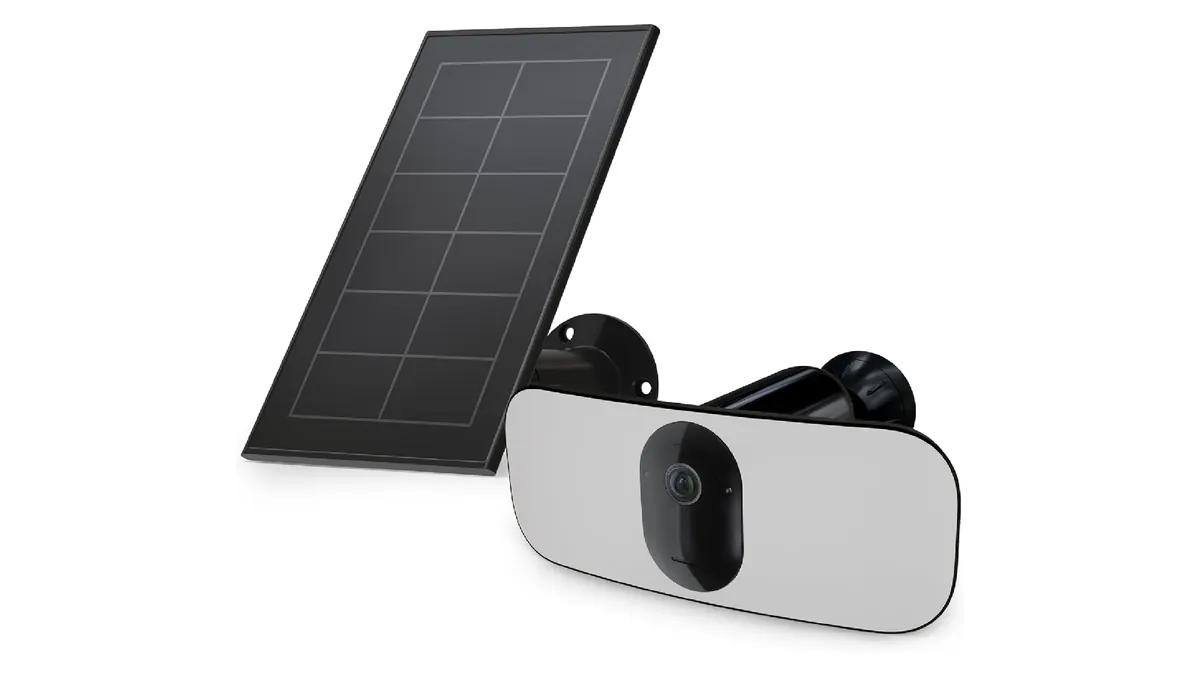
When comparing solar panel security cameras — a separate panel plus battery feeding the camera — versus all-in-one cameras with solar panels built into the housing, remember that separate components are repairable and replaceable in the field while integrated units are not. Monocrystalline panels (18-23% efficiency) dominate solar cameras because they harvest more per square centimeter — a 30W mono panel is roughly 35×45 cm, versus ~40×50 cm for poly at 15-18%. Use an MPPT charge controller on anything above 20W; it recovers 15-30% more energy than PWM in cold or partial-shade conditions. Panel output derates ~0.3-0.5% per °C above 25°C — cold weather actually improves efficiency slightly, but the lost sun hours dominate, as covered in the winter section.
3. Mounting and orientation
In the northern hemisphere, face the panel due south and tilt it at an angle close to the site latitude (a 45-55° tilt in central Europe, ~30-35° in the southern US). The two killers are shade and poor tilt. Even 20% partial shade can cut panel output 30-50% because shaded cells drag down the whole string — a tree that "only shades the corner" is often the real reason a solar camera dies in autumn. Mount the panel where it gets unobstructed sun 9:00-15:00 year-round, and remember trees grow: check the clearance in spring, not just on install day.
Battery Capacity: Wh, Chemistry and Autonomy
Battery Wh is your buffer against bad weather. The planning question is always "how many days can the camera run with zero charging?" — that number is autonomy, and it is the spec that separates a solar camera from a solar decoration.
Formula: battery Wh = daily Wh × autonomy days ÷ usable depth of discharge (DOD). For the 4W 4G camera: 96 Wh × 3 days ÷ 0.8 = 360Wh, a 12.8V LiFePO4 pack of ~28Ah. Consumer all-in-one units ship with 10-20Wh and genuinely cannot run a camera 24/7 — they rely on deep sleep between motion events, which is why their "solar powered" claims come with fine print about event-based recording only.
| Chemistry | Charge temp range | Cycle life | Usable DOD | Fit for solar cameras |
|---|---|---|---|---|
| LiFePO4 | -20°C to 55°C | 2,000-3,000+ cycles (~5-8 years daily) | 80-100% | Yes — the standard for B2B solar cams |
| Li-ion (18650/NMC) | 0°C to 45°C | 500-800 cycles | 60-80% | Consumer units; dies in freezing winters |
| Lead-acid | -20°C to 50°C | 300-500 cycles | 50% | Only for big fixed solar CCTV poles |
"How long does a camera battery last?" has two honest answers. With zero sun, it is capacity ÷ draw: a 360Wh pack feeding a 4W camera runs ~90 hours — about 3.7 days. With an adequately sized panel, the answer is "indefinitely," because the panel replenishes the daily 96 Wh. If your supplier cannot tell you both numbers, the camera is not a solar camera — it is a battery camera with a panel bolted on.
Camera Power Consumption: What Drains the Battery
Consumption is the variable most buyers never check, because every spec sheet leads with resolution. It is also the variable that decides panel and battery size, so it deserves its own section. A solar camera is a small computer, and its draw is set by four things:
- SoC + sensor baseline: 1.5-3W continuous just to keep the image sensor, processor and radio registered on the network.
- LTE radio: bursts of 1-3W during transmission on a 4G camera (cellular uplink is power-hungry); WiFi cameras draw less, 0.5-1.5W when transmitting.
- Night illumination: a full-color night vision camera running its white LED lights adds 3-6W while active. IR LEDs draw less (1-3W) but produce black-and-white video. If evidence color matters at night, budget the LED draw into the daily total.
- PTZ motors: pan/tilt moves spike to 15-30W for seconds at a time — usually fine, but a PTZ that sweeps on a timer every few minutes can add 10-20% to daily draw.
Realistic averages: a WiFi solar camera runs 2-4W continuous; a 4G solar camera 3-6W; a solar PTZ 6-12W. Deep-sleep capability is the feature that makes small panels viable: in sleep the camera drops to 0.1-0.3W and wakes on motion detection in under 2 seconds, cutting average draw from 4W to 0.8-1.5W on an event-heavy site. That difference turns a 100W panel requirement into a 30W one — which is exactly why the battery powered security camera class exists at all.
4G Data Costs: Bitrate, Plans and the Monthly Bill
Power gets a solar camera installed; data costs get it uninstalled. The recurring SIM bill is the line item that makes or breaks an off-grid deployment, and it is pure arithmetic: GB per hour ≈ bitrate (Mbps) × 0.45. At 3 Mbps, one hour of streaming is ~1.35 GB; a 4MP camera streaming continuously burns ~32 GB per day — about a terabyte a month, which no one pays for. That is why continuous streaming over 4G is a non-starter and motion-triggered sub-stream recording is the default.
| Recording mode | Bitrate | GB per hour | Monthly use | Fits a 30-50GB plan? |
|---|---|---|---|---|
| 720p sub-stream, motion events | 0.8 Mbps | 0.36 | ~8-22 GB | Yes |
| 1080p H.265, motion events | 1.5-2 Mbps | 0.7-0.9 | ~15-45 GB | Borderline |
| 4MP H.265, motion events | 3 Mbps | 1.35 | ~40-80 GB | No — step to 100GB |
| 4MP continuous | 3 Mbps | 1.35 | ~1 TB | Never |
Assume 1-3 hours of event recording per day on an active site, and budget 15-45 GB per camera per month. Data-only SIM pricing varies wildly by country — from $0.5 to $2 per GB, or flat plans at $10-25 for 30GB and $25-45 for 100GB — so the honest planning figure is $12-30 per camera per month in most markets. Five cameras on a fence line: $60-150/month of connectivity, versus $7,500-20,000 once for a power trench. The SIM wins until year five or so, and it moves with the site.
Four ways to cut the bill: (1) record to the local SD card and upload events only — a 128GB card stores weeks of motion events at 4MP H.265; (2) use the sub-stream for live view and the main stream only for event clips; (3) set recording schedules that match site activity instead of 24/7; (4) buy dual-SIM units so you can put the low-cost carrier in slot B and fail over automatically. Every 1 Mbps you shave saves roughly 0.45 GB per streaming hour — bitrate discipline is a monthly cost line, not a quality opinion.
Installation and Placement: Aiming, Height and Signal
A solar 4G camera has three things to aim, and installers who only aim the lens get 50% of the job done. Whether you are mounting a solar powered outdoor security camera on a fence line or a solar powered outdoor ip camera on a pole, the same three axes apply.
1. Aim the camera
Mount at 3-5m height with a 15-30° downward angle for face and plate capture. Avoid aiming into the sun path (lens flare blinds the sensor at dawn and dusk), and keep the key zone within the lens's identification range — 4MP at 2.8mm identifies a face at roughly 8-12m, a 6mm lens pushes that to 15-20m. Full-color units want some ambient or LED light in frame; IR units need clear line of sight, not grass or fence in the foreground.
2. Aim the panel
South-facing (northern hemisphere), tilt ≈ latitude, zero shade, as above. On pole mounts, use a tilt bracket so the panel angle can be adjusted seasonally — a 15° seasonal tilt adjustment recovers 5-10% annual energy in mid-latitudes. Keep the panel-battery cable run short (under 3m) and use the supplied weatherproof connectors; voltage drop on undersized DC cables is a silent 10-20% loss.
3. Aim the antenna
Signal decides whether 4G works at all. Check RSSI at the exact mount point before committing: -70 to -80 dBm is excellent, -90 to -100 is usable, below -100 dBm expect dropouts. Metal poles, corrugated roofs and hills kill signal fast. If the mount point reads weak, buy a camera with an external antenna kit (3-8 dBi gain, up to 5m cable) and raise the antenna clear of the obstruction. Test at the site's actual usage time — a "full signal" reading at 2 p.m. can collapse at 6 p.m. when the tower is congested.
Winter Performance: Low Sun, Snow and Cold Batteries
Winter is where solar camera designs are separated. The problem is not the cold — it is the sun. December peak sun hours in Munich are about 0.7 versus 5.0 in July; London sits near 0.8 in December. That is a 85-90% collapse in harvestable sunlight, and no panel efficiency gain can compensate.
1. The snow problem
Even 1-2cm of snow on the panel blocks essentially all output. Tilt the panel steeply (45-60° in snow regions) so snow slides off, mount it where it gets morning sun to start melting, and physically clear it after big falls if the site is visited. A camera that "worked all summer" failing every January is usually a snow-covered panel, not a battery fault.
2. The cold-battery problem
Standard Li-ion cells must not be charged below 0°C — charging them cold permanently damages capacity. That is why consumer solar cameras die in their first winter and why the battery chemistry table above matters: LiFePO4 charges down to -20°C and delivers usable capacity to -30°C. If your supplier cannot state the charge temperature range, assume the unit is not winter-rated. Also note: full-color night LED operation draws more in winter (longer nights), compounding the sun deficit.
3. The sizing fix
For cold climates, size for the worst quarter: raise panel wattage 30-50% above the annual-average calculation, set battery autonomy to 5-7 days, and default to motion-triggered recording so daily draw drops. With those three changes, a 4W 4G camera becomes a 100W panel + 360Wh+ battery spec instead of a 30W + 120Wh spec — heavier and pricier, but alive in February. Winter is the test the whole system must pass; size for it or budget for a dead site.
Remote Site Deployment: Farm, Construction, Warehouse
The buyers this product class exists for — and the numbers that justify each deployment.
1. Farm and ranch perimeters
A 500m fence line needs roughly 6-8 solar cameras at 60-80m spacing with 4MP resolution for vehicle and person identification. Livestock areas need cameras that ignore animal motion (smart detection zones); gates and equipment yards need full-color night units — equipment theft losses routinely exceed $20,000 per incident, so the $600-1,500 per camera cost amortizes against the first prevented loss. Mount panels high enough that cattle and machinery cannot reach them, and use pole mounts with anti-tamper brackets.
2. Construction sites
Temporary sites are the perfect solar 4G case: 6-12 month lifespans, zero existing infrastructure, and tool and material theft that costs contractors billions annually worldwide. Deploy pole- or trailer-mounted solar cameras covering entry gates, material staging areas and equipment parking; use solar PTZ units (20x+ optical zoom) to sweep the whole site from one high point. A solar powered security camera for construction site use must be rated for dust (IP66 minimum) and survive being moved — the battery and panel assembly gets relocated with the project, which no trench can do.
3. Remote warehouses and yards
For sites with power but no network — or neither — solar 4G cameras cover the gaps: perimeter corners, loading bays, parking lots. Where mains power does exist, a hybrid approach works well: camera on AC power with a battery backup, 4G for network. The battery carries the camera through outages, and the panel keeps the battery topped up; this is also the design for "no wifi security camera" situations in buildings where WiFi cannot reach.
Across all three scenarios, the deployment sequence is the same: survey signal at each mount point (RSSI), check shade year-round, size the power budget with worst-month sun hours, then install, then verify — live view, event triggers, night image — before leaving the site. A solar 4G system that passed its week-one check but failed its first rain test was verified on the wrong criteria.
Buying Guide & Checklist
Use this checklist when comparing solar camera and 4G camera quotes — whether you are buying two units for a gate or a container for resale. If a supplier cannot answer these, the quote is not a spec, it is a wish. Compare against the concrete solar-powered camera range.
- Camera draw: continuous draw in watts (WiFi 2-4W, 4G 3-6W, PTZ 6-12W) — stated in writing, not "low power"
- Panel wattage: actual panel W and size in cm — verify it fits the site's worst-month sun hours (panel W ≈ 6-8× camera W, more in winter)
- Battery: Wh capacity, chemistry (LiFePO4 preferred), charge temperature range (must reach -20°C for cold sites)
- Autonomy: hours/days of operation with zero sun at the stated draw — do the math yourself
- Network: LTE bands for your region (e.g. B1/B3/B7/B8/B20 for Europe, B2/B4/B5/B12/B13 for North America), dual-SIM, external antenna option
- Bitrate control: H.265/H.265+, adjustable bitrate, sub-stream for live view, SD card slot (128GB+) for local event storage
- Events: motion zones, person/vehicle detection, scheduled recording, push alerts — false-alert discipline is a data-cost issue too
- Weather: IP66/IP67 rating, operating range -30°C to 60°C, UV-stable housing for 5+ years of sun
- Interoperability: ONVIF Profile S/T so the camera can join an NVR/VMS instead of locking you into one app
- Data plan math: confirm the monthly GB budget (GB = hours × Mbps × 0.45) against your SIM pricing before committing
- Volume terms: for wholesale, confirm MOQ, lead time and whether panels/batteries are replaceable field parts
Are solar powered security cameras worth it? The answer is arithmetic: compare the all-in cost of two years of solar 4G operation (hardware + SIM) against trenching power and running network to the same point. Where utilities are close, PoE wins; where they are not — and where the site moves — solar 4G wins by a factor of 3-10x on first cost, and it is the only option that relocates.
If you are working from a "best solar security camera" or "best 4g security camera" shortlist, the checklist above is the tiebreaker — marketing rankings ignore power math. Searches for solar panel camera, solar powered camera, solar powered cctv camera, 4g cctv camera or solar power for cctv cameras all land on this same off-grid class; the words change, the four-number budget does not.
The Bottom Line
A solar 4G camera system lives or dies on four numbers: camera draw in watts, panel watts matched to your worst-month sun hours, battery Wh matched to your autonomy requirement, and bitrate matched to your SIM budget. Get those four right and an off-grid security camera runs for years on a fence line, a construction site or a remote yard — with no power line, no cable and no one driving out to reset it. Get one wrong, and the camera that worked in July becomes a $600 pole decoration in January.
NEXT STEP
Ready to Upgrade to Full-Color Night Vision?
Send us your requirements — our team responds within 24 hours with pricing and lead time.
Written by
Ray ChanCCTV Buyer's Guide Author · Full-Color Night Vision Specialist. Ray helps global importers and integrators source factory-direct security cameras.